

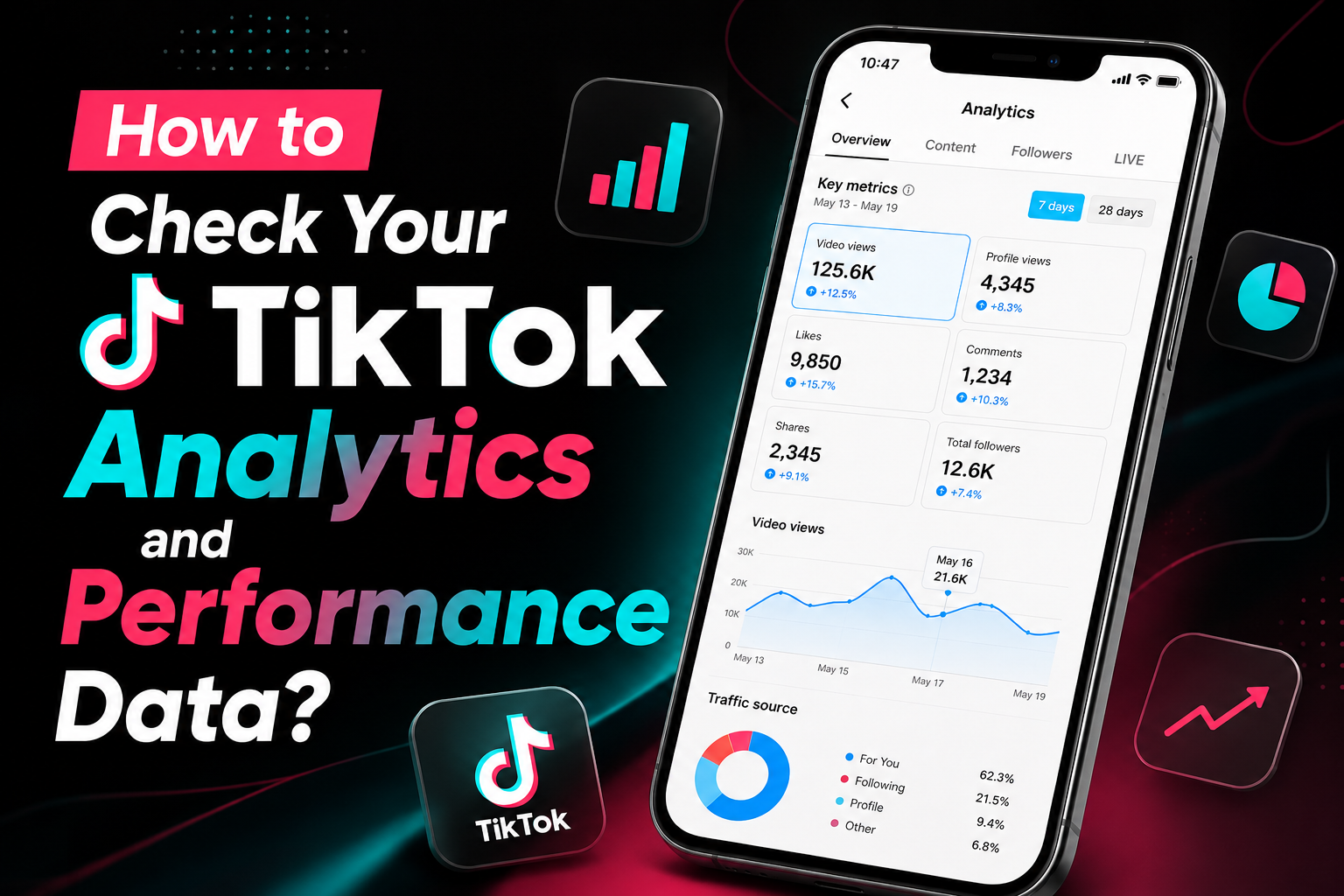
Creating content on TikTok is only part of the growth process. To understand what is working and what needs improvement, creators need access to performance data. TikTok Analytics provides valuable insights about video performance, audience behavior, follower growth, engagement levels, and content reach.
By regularly reviewing analytics, creators can make smarter content decisions, identify successful trends, and improve future videos. This guide explains how to access TikTok Analytics and understand the most important metrics available.
What Is TikTok Analytics?
TikTok Analytics is a built-in performance tracking feature that helps creators understand how their content and audience are performing. It provides valuable data about video views, watch time, follower activity, engagement trends, profile visits, and audience behavior. By reviewing these insights, creators can better understand which content resonates with viewers and what strategies contribute to growth.
TikTok Analytics helps creators make more informed decisions by showing how audiences interact with their videos over time. Whether the goal is increasing engagement, improving content performance, or growing a follower base, analytics provide the information needed to identify successful content patterns and optimize future TikTok content strategies.
Who Can Access TikTok Analytics?
TikTok Analytics is available to users who have switched to a Creator Account or Business Account. These account types provide access to detailed performance data, allowing creators to monitor video views, audience activity, engagement trends, follower growth, and other important metrics.
Personal accounts do not have access to TikTok’s analytics dashboard. Creators who want to better understand their content performance and make data-driven decisions can enable a Creator or Business Account to unlock TikTok Analytics and its reporting features.
Why Analytics Matter for TikTok Growth
Many creators focus primarily on views, but TikTok Analytics provides a much deeper understanding of content performance. By analyzing audience behavior, engagement trends, and video performance, creators can identify what is working well and where improvements can be made. These insights help remove guesswork and support more effective content decisions.
TikTok Analytics Helps Creators Understand
- Which videos perform best
- How viewers discover content
- Audience activity patterns
- Follower growth trends
- Video watch time
- Engagement performance
- Profile visit activity
- Content reach and visibility
Understanding these metrics can help creators refine their content strategy, improve audience engagement, and make better decisions that support long-term TikTok growth.
Step 1: Open the TikTok App
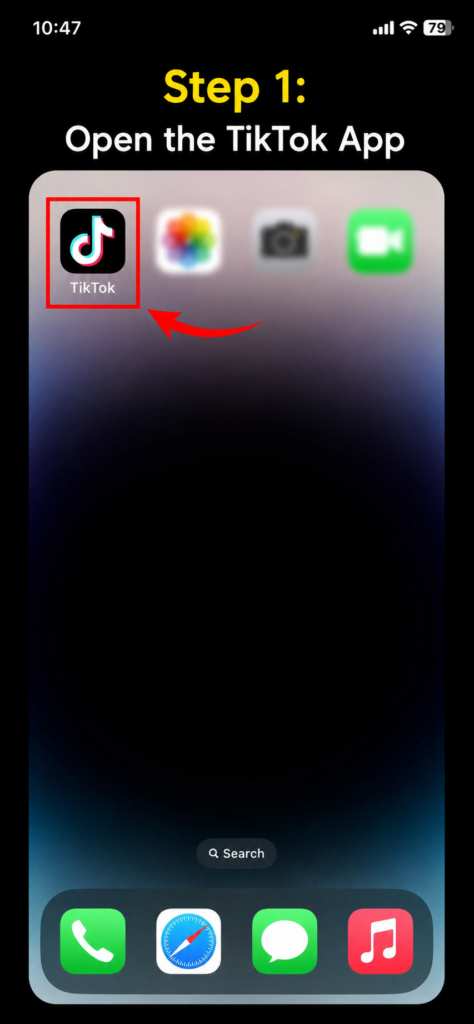 Launch the TikTok app on your mobile device and log into the account you want to analyze.
Before accessing analytics, make sure you are using a Creator Account or Business Account, as TikTok Analytics is not available for standard personal accounts. Once logged in, you will be ready to access performance data, audience insights, and engagement metrics.
Step 2: Visit Your TikTok Profile
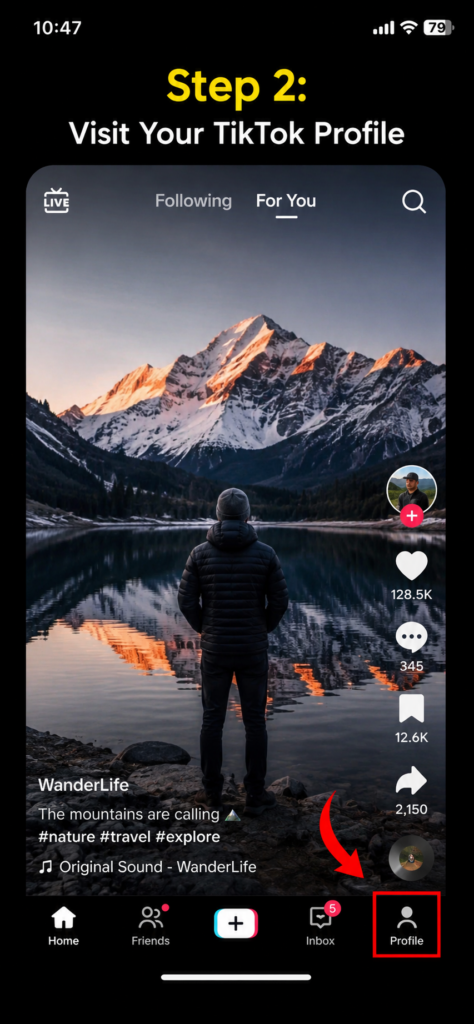
After opening TikTok, tap the Profile icon located in the bottom-right corner of the screen. This will take you to your TikTok profile page, where you can view your videos, follower count, following list, and account information. The profile page is also the starting point for accessing TikTok Analytics and other account management features.
Step 3: Open the Menu Section
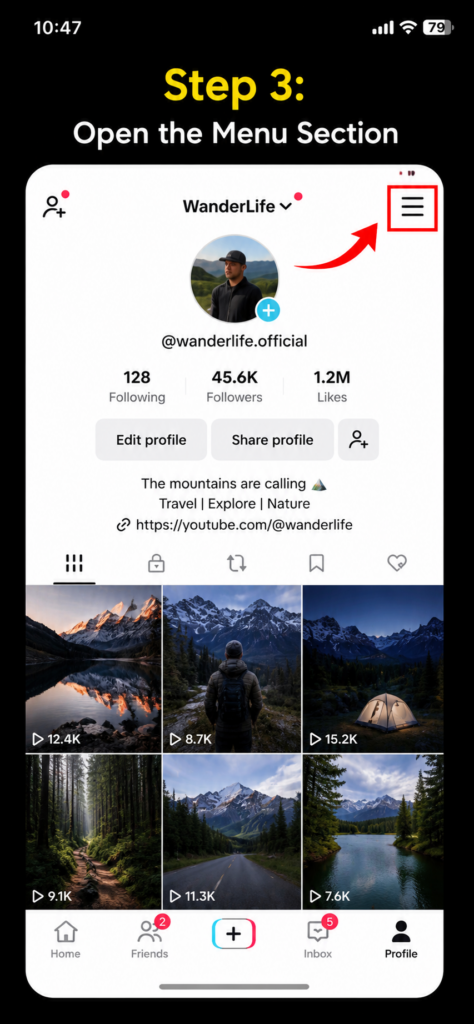 While on your TikTok profile page, tap the menu icon (☰) located in the top-right corner of the screen. This menu provides access to account settings, privacy controls, creator tools, and other account management features. From here, you can navigate to the section that contains TikTok Analytics and additional performance insights.
Step 4: Access Creator Tools
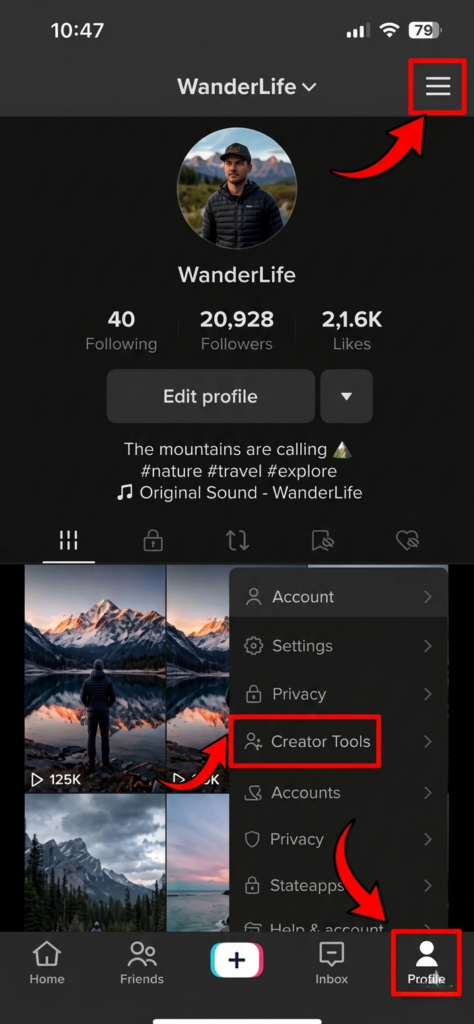 After opening the menu, look for the Creator Tools section and tap on it.
Creator Tools provides access to several features designed to help creators manage and grow their accounts, including TikTok Analytics.
This section serves as the main hub for performance tracking, content insights, and audience-related data.
Step 5: Open Analytics
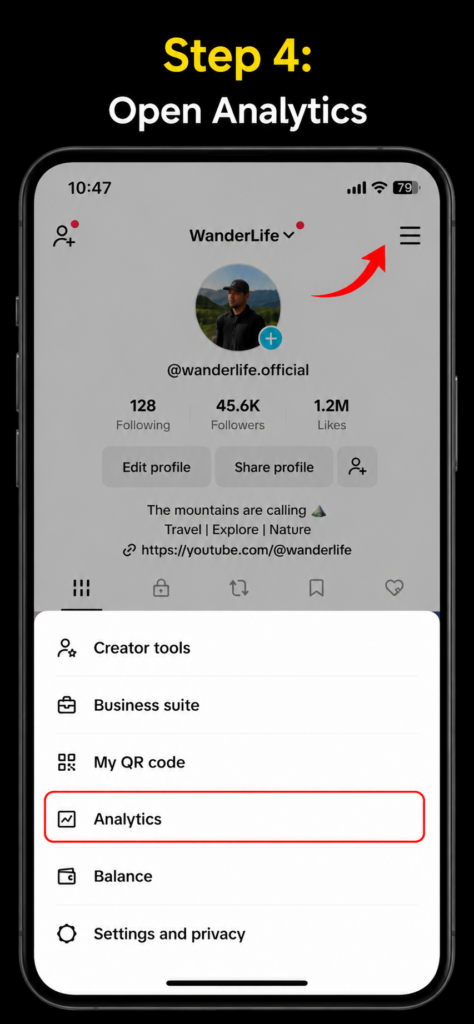 Inside the Creator Tools section, locate and tap Analytics to access your TikTok performance dashboard. This section provides detailed insights into video performance, audience activity, follower growth, engagement trends, watch time, and content reach. Reviewing these metrics can help you better understand how your content is performing and identify opportunities for improvement.
Understanding the Overview Section
The Overview section provides a quick summary of your TikTok account’s recent performance. It helps creators monitor key metrics and understand how their content is performing over a selected time period. By reviewing this data regularly, creators can identify trends, measure growth, and evaluate the overall effectiveness of their content strategy.
The Overview Section Typically Includes
- Video views
- Profile views
- Likes
- Comments
- Shares
- Follower growth
These metrics offer a snapshot of audience activity and content performance, making it easier to track progress and identify areas that may need improvement. The Overview tab is often the first place creators check when evaluating their TikTok growth and engagement trends.
How to Analyze Video Performance
The Content section allows creators to evaluate how individual TikTok videos are performing. Rather than looking only at views, this section provides deeper insights into audience behavior and engagement patterns. By reviewing performance data for each video, creators can identify which content formats, topics, and styles produce the best results.
Key Video Performance Metrics Include
- Total views
- Average watch time
- Traffic sources
- Audience retention
- Engagement metrics
Studying these insights can help creators understand what keeps viewers interested, how audiences discover content, and which videos generate the strongest engagement. Over time, this information can support better content decisions and improve overall TikTok performance.
Understanding Audience Data
The Followers section provides valuable information about your audience.
You can learn:
- Follower growth trends
- Audience locations
- Gender distribution
- Activity times
- Audience interests
Why Profile Views Matter
Profile views are an important indicator of audience interest on TikTok. They show how many users were interested enough in your content to leave the video and explore your account further. When viewers visit a profile, they are often looking for more content, learning about the creator, or deciding whether the account is worth following.
High profile visit numbers often suggest that your videos are creating curiosity and encouraging viewers to learn more about your content. These visits can create additional opportunities for follower growth, especially when your profile clearly communicates your niche, content style, and value. Monitoring profile views can help creators understand how effectively their videos are converting viewers into engaged followers.